

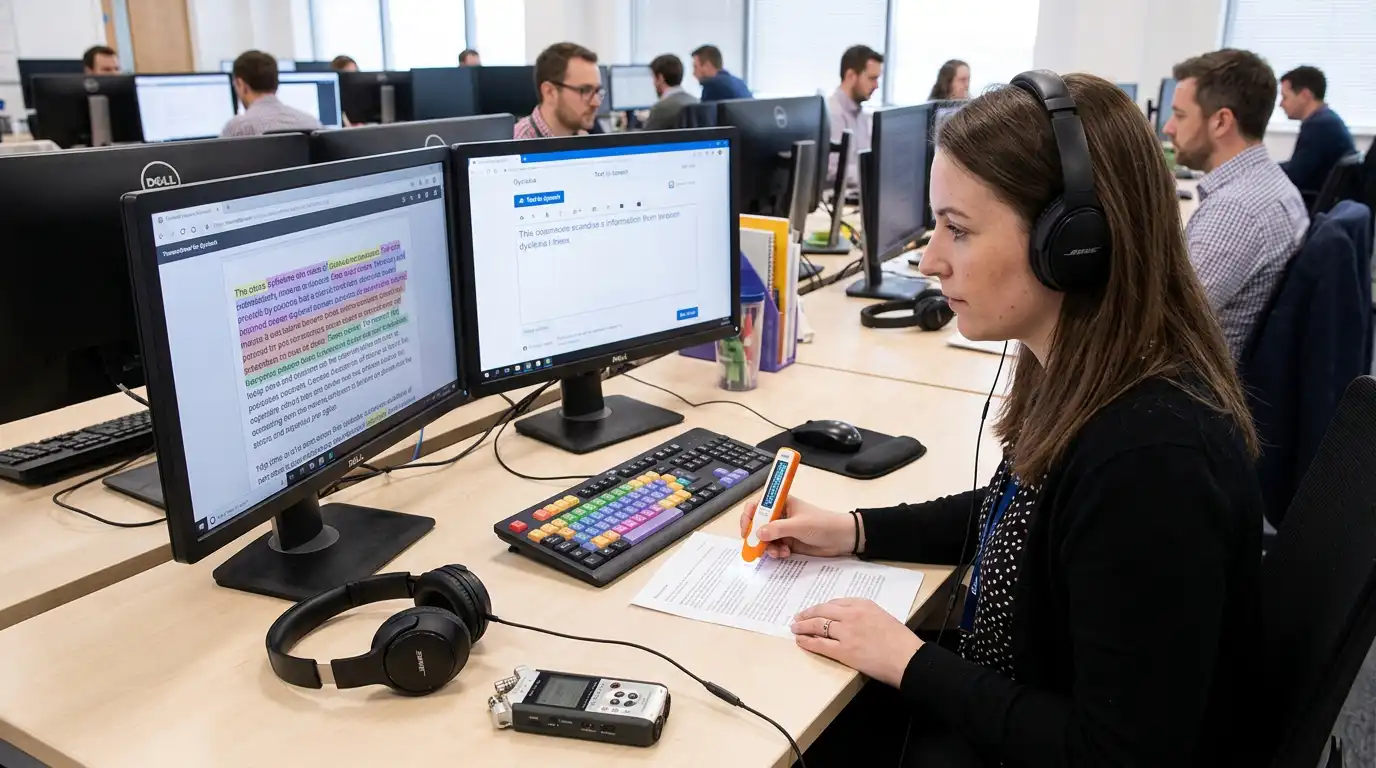
Access to Work and Dyslexia
1. Introduction: Navigating Dyslexia in the Modern Workplace
Dyslexia is a neurodevelopmental difference that primarily affects the skills involved in accurate and fluent word reading and spelling. It is estimated that around 10% of the UK population is dyslexic. While dyslexia often brings strong creative problem-solving, verbal reasoning, big-picture thinking, and pattern recognition skills, it can also impact processing speed, short-term working memory, organization, and written communication.
Fortunately, technology has evolved rapidly. Today’s assistive software tools ranging from real-time speech-to-text platforms to AI-assisted proofreaders and visual mind mapping applications can level the playing field completely. The challenge for many individuals and businesses isn’t the technology itself, but rather funding it.
This guide covers everything you need to know about navigating the UK government’s Access to Work scheme in 2026 to get cutting-edge assistive software fully or partially funded.
2. First Steps: What to Do If You Think You Might Be Dyslexic
Before diving straight into government grant applications, it helps to understand where you stand. Many adults navigate education without ever being formally identified as dyslexic, only realizing later in their careers when workplace demands exacerbate challenges with heavy reading, report writing, or task management.
The First Step: Take a Dyslexia Screening Test
If you suspect you might be dyslexic, your very first action should be to undergo a dyslexia screening test.
A screening test is a rapid, preliminary assessment often taken online or facilitated by an occupational health provider that evaluates your cognitive processing indicators, reading speed, phonological awareness, and working memory.
Why Start with a Screening Test?
- Clarity and Validation: A screening test gives you immediate data and language to describe the specific friction points you experience at work (e.g., visual fatigue, difficulty tracking text, or challenges structuring long documents).
- Prepares You for the Access to Work Assessment: When you speak to an Access to Work advisor or specialist workplace assessor, having screening results allows you to articulate exactly where you struggle and what tools might help.
- Informs Reasonable Adjustments: Even before your Access to Work grant is finalized, sharing screening results with your employer allows them to implement quick “reasonable adjustments” immediately under the Equality Act 2010.
Note: While a diagnostic assessment by an Educational Psychologist or specialist teacher provides a full formal diagnosis, Access to Work does not strictly require a formal medical or psychological diagnosis to apply, provided you can demonstrate the impact of your condition on your day-to-day job role.
3. What is Access to Work and How Does It Help Neurodivergent Employees?
Access to Work is a publicly funded support grant operated by Jobcentre Plus / Department for Work and Pensions (DWP) in England, Scotland, and Wales. (A similar scheme operates in Northern Ireland).
Its purpose is to help people with a disability, neurodivergent condition, or long-term health condition start work, stay in work, or move into self-employment.
Key Characteristics of the Grant:
- It is NOT a benefit: Access to Work grants do not affect your personal benefits or salary, and the grant is not taxable income.
- It pays for practical support: Instead of direct cash payments to you, the grant reimburses the cost of approved software, equipment, training, or support workers.
- It is tailored: Grants are personalized based on a individual Workplace Needs Assessment.
- It applies to diverse roles: Whether you are an apprentice, full-time employee, freelancer, director, or sole trader, you are eligible to apply.
4. Types of Assistive Software Funded through Access to Work in 2026
When Access to Work approves support for dyslexia, software recommendations focus on removing specific barriers in your workflow. In 2026, the standard toolkit supported by assessors includes four main software categories:
1. Text-to-Speech (TTS) Software
Text-to-speech tools read digital documents, emails, PDFs, and web pages aloud using natural human voices.
- Key Benefits: Reduces visual fatigue, improves reading comprehension, and helps with self-proofing by letting you hear mistakes in written reports.
- Popular Examples: Read&Write, ClaroRead, NaturalReader.
2. Speech-to-Text (Dictation) Software
Advanced speech recognition software allows you to dictate text, compose emails, and navigate digital tools using your voice.
- Key Benefits: Bypasses spelling and typing barriers, allowing your thoughts to flow directly onto the page at natural speaking speed.
- Popular Examples: Dragon Professional, built-in cloud speech recognition tools paired with specialist navigation software.
3. Visual Planning and Mind Mapping Software
Mind mapping software allows users to brainstorm ideas visually, group concepts with colour codes, and automatically convert visual diagrams into structured Word documents or linear outlines.
- Key Benefits: Essential for dyslexic thinkers who excel at visual/spatial organization but struggle to structure unstructured notes into formal linear reports.
- Popular Examples: MindView, Inspiration, MatchWare.
4. Advanced Literacy and Grammar Support
Specialized proofreading and writing assistants go beyond standard spellcheckers by analysing sentence structure, homophones, context, and readability.
- Key Benefits: Provides real-time corrections, reduces stress when sending executive communications, and builds writing confidence.
- Popular Examples: Grammarly Business, ProWritingAid, LanguageTool.
Beyond Software: Strategy Coaching
It is important to note that Access to Work frequently funds Dyslexia Strategy Coaching alongside software. Software is most effective when paired with a specialist trainer who teaches you how to integrate those specific software tools into your exact daily work tasks over 3 to 6 dedicated coaching sessions.
5. Eligibility Criteria for Access to Work in 2026
To qualify for an Access to Work grant in 2026, you must meet the following criteria:
| Requirement | Standard Criteria |
| Age | Be 16 years of age or older. |
| Location | Be ordinarily resident in England, Scotland, or Wales. |
| Employment Status | Be in paid employment, self-employed, starting a job within 4 weeks, on a work placement, or an apprentice. |
| Condition | Have a disability, neurodivergent condition (e.g., Dyslexia, ADHD, Dyspraxia), or long-term physical/mental health condition that impacts your ability to do your job. |
Who is NOT Eligible?
You generally cannot receive Access to Work if you are doing unpaid voluntary work, or if you are in full-time higher education (where the Disabled Students’ Allowance (DSA) applies instead).
6. Step-by-Step Guide: How to Apply for Access to Work Funding
Applying for Access to Work involves a straightforward multi-step pipeline. Here is how to navigate it efficiently in 2026:
Step 1: Complete Your Initial Screening
Gather any evidence, diagnostic reports, or screening test results you currently have. Make a short list of specific job tasks that take extra time or cause difficulty due to your dyslexia.
Step 2: Submit the Online Application
Apply directly on the official UK Government portal: www.gov.uk/access-to-work/apply. You will be asked to provide:
- Your contact details and National Insurance number.
- Details about your current workplace and employer contact.
- A brief description of how your dyslexia impacts your day-to-day duties.
Step 3: DWP Case Manager Contact
Once your application is assigned, an Access to Work Case Manager will contact you (usually via telephone or secure online messaging) to verify details and arrange your Workplace Needs Assessment.
7. The Workplace Needs Assessment: What to Expect
The Workplace Needs Assessment is the cornerstone of the Access to Work process. In 2026, most assessments take place via a video call or occasionally in person at your office.
What Happens During the Assessment?
An independent specialist assessor will spend 60 to 90 minutes talking through your daily routines:
- Job Role Analysis: They will examine your core job duties (e.g., reading reports, writing emails, managing projects, taking meeting minutes).
- Identifying Barriers: They will explore where dyslexia creates friction (e.g., time pressure, fatigue, spelling accuracy, organization).
- Recommending Solutions: The assessor will demonstrate or discuss specific assistive software, hardware (such as dual monitors or specialized headsets), and strategy training.
Pro Tip: Focus your discussion on the impact of your condition on specific work tasks rather than general symptoms. For instance, say: “Reading 20-page compliance PDFs takes me three hours and causes severe head strain, which delays my project delivery” rather than “I find reading long texts hard.”
Following the call, the assessor drafts a formal report recommending specific software packages, training hours, and equipment, sending it to DWP for approval.
8. Working with Your Employer & Procurement Process
Once DWP approves the report, they will issue an Award Letter detailing the funded items and cost-sharing arrangements.
Understanding Cost Share Rules
How the funding is split depends on the size of your employer and how long you have worked there:
- New Starts (Within the first 6 weeks of employment): Access to Work typically pays up to 100% of the costs, regardless of employer size.
- Micro-Employers (1 to 9 employees): Access to Work pays up to 100% of approved costs.
- Small Employers (10 to 49 employees): Access to Work pays up to 100% of approved costs.
- Medium Employers (50 to 249 employees): The employer pays the first £300 plus 20% of costs up to £10,000.
- Large Employers (250+ employees): The employer pays the first £1,000 plus 20% of costs up to £10,000.
- Self-Employed Individuals: Access to Work pays up to 100% of costs.
Procuring the Software
In most corporate settings, the employer purchases the software, hardware, and training upfront and then submits the claim form with receipts to Access to Work for reimbursement. For self-employed individuals, you purchase the items yourself and claim the money back directly from DWP.
9. Top Tips for a Smooth Application Process in 2026
- Apply Early: Processing times for Access to Work can vary from 4 to 12 weeks depending on seasonal volume. Apply as soon as you start a new role or identify the need.
- Involve HR or Your Line Manager: Keeping your manager informed ensures swift approval when Access to Work requests workplace details or cost-sharing signatures.
- Don’t Skip the Training: Always accept the recommended assistive technology coaching. Owning sophisticated software is only useful if you know how to fit its features into your daily habits.
- Re-apply When Changing Jobs: Access to Work grants are tied to your specific job role. If you switch employers or take on a significantly different role within the same company, request a review of your support.
10. Frequently Asked Questions (FAQs)
Q1: Do I need a formal medical diagnosis of dyslexia to apply?
No. Access to Work does not strictly require a formal diagnostic assessment report from a psychologist. However, you must be able to demonstrate that you experience significant work challenges aligned with dyslexia. Taking an initial dyslexia screening test provides excellent supporting details.
Q2: Will my employer find out if I apply for Access to Work?
Yes. Because Access to Work often requires co-funding (for medium/large organizations) and IT implementation for software installation, your employer will be contacted during the process. Access to Work is designed to be a supportive collaborative framework.
Q3: Can Access to Work fund hardware like laptops or secondary screens?
Yes, but only if standard workplace equipment is insufficient. If you require a secondary monitor to view visual mind maps alongside document drafts, or specific noise-cancelling headphones to focus while dictating, these can be recommended in your assessment.
Q4: What happens if I am self-employed?
Self-employed workers are fully eligible for Access to Work funding, provided you can present proof of self-employment (such as a UTR number from HMRC or recent tax returns).
Conclusion
Assistive software has transformed what it means to be neurodivergent in the modern workplace. By using text-to-speech, speech recognition, and visual mapping software, professionals with dyslexia can eliminate admin bottlenecks and focus on their core strengths.
If you suspect you have dyslexia, take the first step today: undertake a dyslexia screening test, speak with your employer, and submit your application to Access to Work to unlock the tools and funding you are entitled to in 2026.